How To Share Apps Downloaded From Google Play Store
Rabu, 30 Oktober 2013
0
komentar
You can now share apps you downloaded to your device directly from Google Play Store.
Naturally, when apps are downloaded from the Play Store and it is installed to a device, it is almost impossible to know where the installation file is saved and it is not possible to share the app like you would share normal apps with the normal .apk extension.
The purpose of this guide is to show how you can convert these directly downloaded apps to apk and share to other Android devices.
Procedures
1. Download MyAppSharer app and install to your device
2. Launch application and you will see all your installed apps.
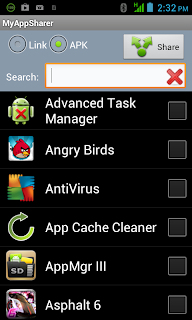
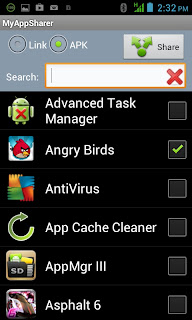
3. Select the app you want to convert to apk by checking the box at the right hand side and wait for it to process.

4. Select APK by tapping the circular icon and click Share.
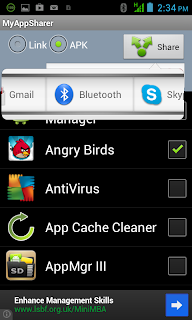
5. Scroll left or right to view sharing options, either via email, Bluetooth etc.
I hope this direct is of consume to you. Drop a comment if you experience several intricacy in achieving your goal.
Baca Selengkapnya ....


